How to turn wedding and anniversary photos into a coloring book
Choose the photos from your wedding day and the years since, turn each one into a coloring page with bold, clear lines, and collect them into a book of up to 12 pages with a cover for your title and names. You download it as printable PDFs in US Letter and A4, and your photos are never shown publicly.
- AI generation in private beta
- No watermark
- Print-ready PDF
Build your wedding photo coloring book (printable PDF)
Add up to 12 photos. Each becomes a page; then preview and download one PDF in A4 and US Letter.
0 / 12 pages
No pages yet. Add photos here, or use “Add to coloring book” after generating a page with any of our tools.
Coloring pages and line art are made by our AI provider, fal.ai, which processes your photo under its own terms; we send it with fal's request storage turned off. Outlines are traced on our servers without AI. We delete your photo from our storage once the page is made (24 hours at most), and results after 7 days or right away with Delete now. Privacy
How it works
- 1
Choose your photos
Start with close-ups of the two of you, then add a few wider moments: the first dance, the cake, a favorite trip since.
- 2
Pick the look
Standard keeps faces and dress details for most photos. For thicker lines that still try to keep faces, lace and veils, choose Bold & detailed.
- 3
Build the book
Add each page to the coloring book, type a title like "20 Years of Us" and your names for the cover, preview it, then download the A4 and Letter PDFs.
Want a different look? Pick a style before you generate:
- Classic: the closest to your photo. Choose this when likeness matters most.
- Mandala: symmetrical patterns fill the background, with faces, hair and clothes left clean. Your subject keeps its size and position, so when it fills the frame there is less pattern.
Tips for wedding photos
- White dresses, veils and pale backgrounds are low in contrast, so lace and folds can disappear. Photos with a darker background behind the dress keep more of the outline.
- A veil over the face softens it in the drawing. Choose a photo where the face is clear, or one taken after the veil is lifted.
- Close-ups give the result closest to your real faces. In large group photos (the whole wedding party, the family table) each face is small and gets simplified, so use those as scene pages rather than portrait pages.
- For the most faithful faces, keep Classic. Mandala fills the background behind the two of you with pattern without changing your faces.
- Crop each photo so the two of you fill most of the frame before uploading.
- Scanned prints from an older wedding work too: scan them flat, crop off the album borders and clean up large scratches.
- If a face doesn't look right, try a sharper or closer photo, or regenerate the page (that uses another page).
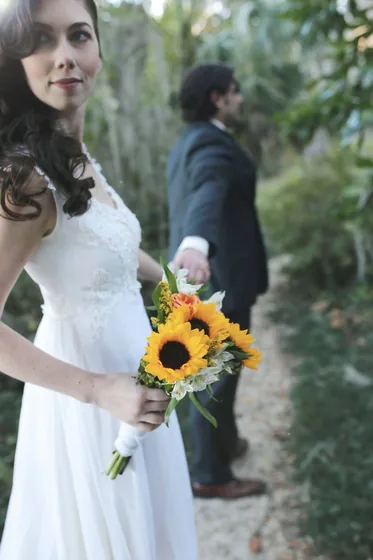
Photo
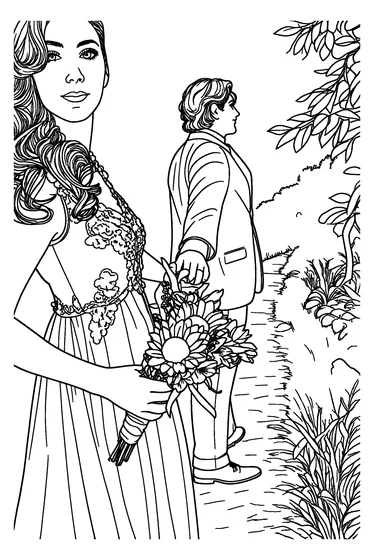
Standard
Bold lines that keep the detail
A coloring page should be easy to fill in without losing what makes the photo yours. You can adjust it:
- Standard detail: clean, closed shapes with enough detail for faces, hair and the dress.
- Detailed: finer lines and more of the lace, flowers and texture, for adults who enjoy fine coloring.
- Bold & detailed: even, thick lines, with a slightly thinner pen where lines sit close together, such as hair, lace and veils, so those areas stay open for coloring.
- Prefer a sketch look? Image to Line Art with Bold lines keeps more of the photo's detail lines.
- Every page is converted to pure black on white with stray specks removed, so lines print solid rather than gray.
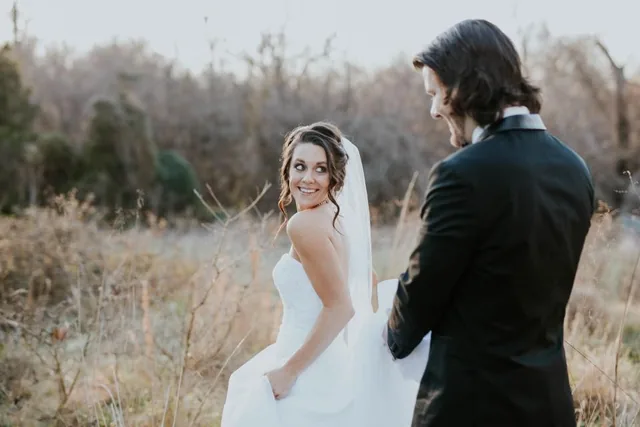
Photo
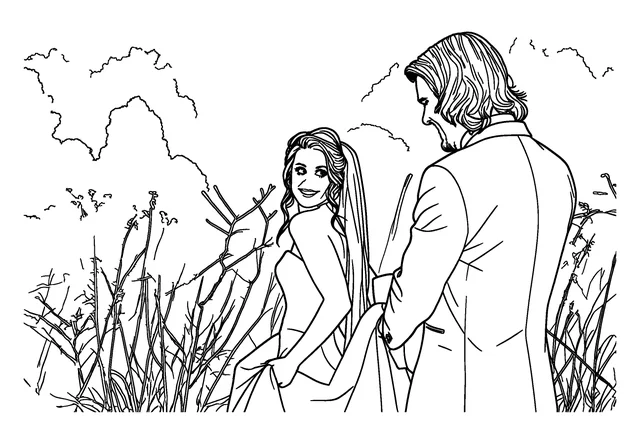
Standard
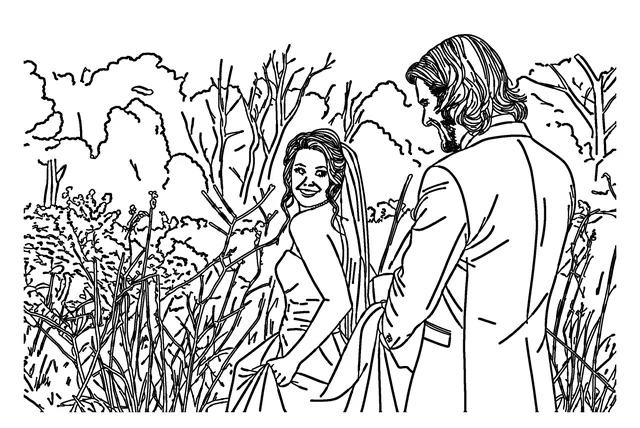
Bold & detailed
Private by design
- There is no public gallery. Your pages can only be reached from the browser that made them.
- Your photo stays in your browser until you click Generate. It's then sent to our AI provider, fal.ai, which processes it under its own terms, and deleted from our storage right after the page is ready (24 hours at most).
- Pages and books are deleted after 7 days, or right away with Delete now. Save your PDF as soon as it's ready.
Making it a gift
- Order the pages as a story: the proposal, the wedding day, the first home, the trips and milestones since.
- Leave the last page for a new photo from the anniversary itself.
- Print the PDF single-sided at home or at a local print shop, and have the shop add spiral binding, or bind it yourself with ribbon.
- Give it with a set of colored pencils, or color it together on the anniversary.
- More ideas for photo gifts: personalized coloring book gift.
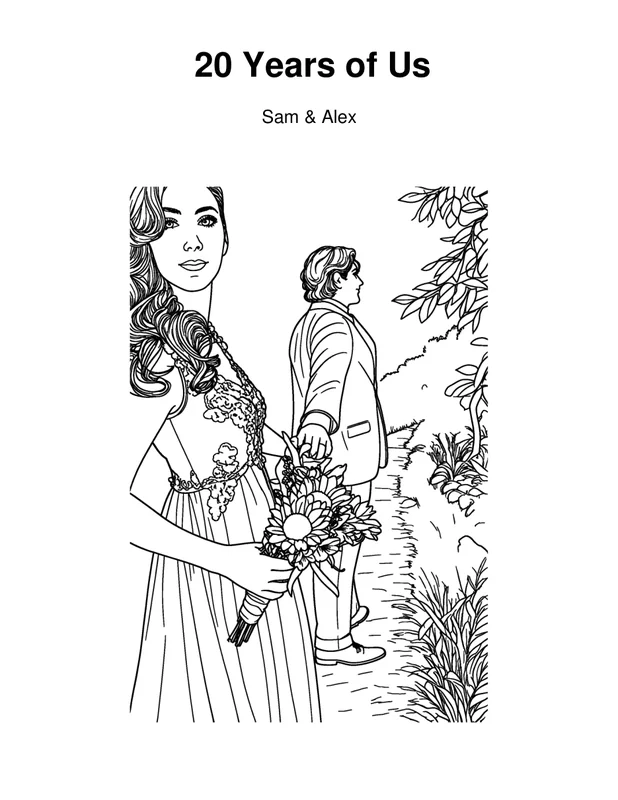
Cover
What you get
- A coloring book of up to 12 pages with a cover for your title and names.
- Two printable PDFs of the same book, with pure black-and-white pages: US Letter (8.5 × 11 in) and A4 (210 × 297 mm). It's a PDF you print at home or at a print shop.
- No watermark.
- Each page uses one page from your balance. AI generation is in private beta — join the waitlist.
Frequently asked questions
Will the pages look like us?
Close-ups give the result closest to your real faces. Every page is a drawing, so small details can be simplified, especially in group shots. Choose sharp photos where your faces are large and clear, and regenerate any page that doesn't look right.
Which style looks most like the person in the photo?
Classic. Anime and Kawaii add a lighter stylized look while keeping age cues like wrinkles and hairline; Mandala keeps the subject's lines, size and position and fills the background with pattern.
How many photos can I put in the book?
Up to 12 pages plus the cover. Each page uses one page from your balance. AI generation is in private beta — join the waitlist.
My wedding dress disappears in the drawing. What can I do?
White on white has little contrast. Pick a photo with a darker background behind the dress, crop closer, or try Detailed or Bold & detailed to keep more of the lace and folds.
Can I get thicker lines?
Yes. Choose Bold & detailed. It draws even, thick lines and uses a slightly thinner pen where lines sit close together, such as hair, lace and veils. You can mix Bold & detailed pages with other pages in the same book.
Are my wedding photos made public?
No. There's no public gallery, your photo is deleted from our storage right after the page is ready (24 hours at most), and pages and books are deleted after 7 days or right away with Delete now.
Do you print the book?
No. We don't print or ship books. Your wedding photo coloring book is a PDF you print at home or at a print shop, in A4 or US Letter.