How to turn a pet photo into a coloring page
Upload a clear photo of your pet, choose how much detail you want, and download a black-and-white coloring page as a PNG or as a PDF for US Letter or A4. You can make up to 15 pages a day for free, with no account and no watermark.
- Free daily pages
- No watermark
- No account needed
- Print-ready PDF
Pick a style in coloring-page mode: Classic, Kawaii or Mandala. Every style gives you pure black-and-white lines at 300 DPI and counts as one of your daily pages.
Free, no watermark · Choose a photo to start
See what your photo becomes
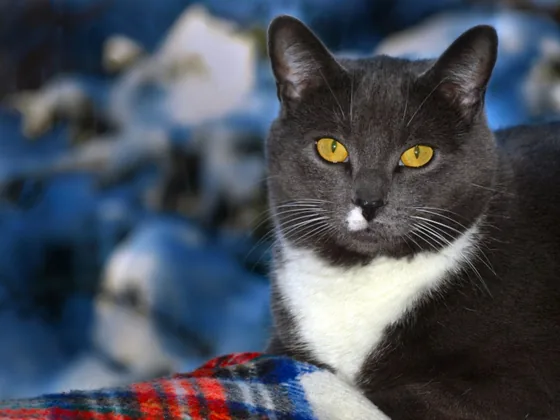
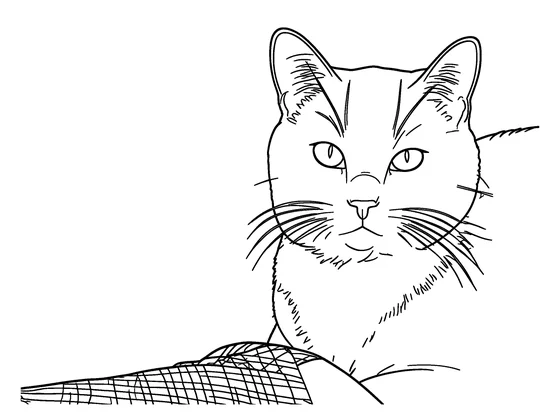
Upload a photo to get a clean, printable black-and-white coloring page. Download it as PNG or a ready-to-print PDF.
- Free daily pages — no watermark, no account
- PNG or print-ready PDF (A4 / US Letter)
- Photo deleted from our servers within 24 hours
Coloring pages and line art are made by our AI provider, fal.ai, which processes your photo under its own terms; we send it with fal's request storage turned off. Outlines are traced on our servers without AI. We delete your photo from our storage once the page is made (24 hours at most), and results after 7 days or right away with Delete now. Privacy
How it works
- 1
Pick the photo that looks most like your pet
A sharp close-up where the face is visible works best. The photo stays in your browser until you click Generate.
- 2
Choose Simple, Standard or Detailed
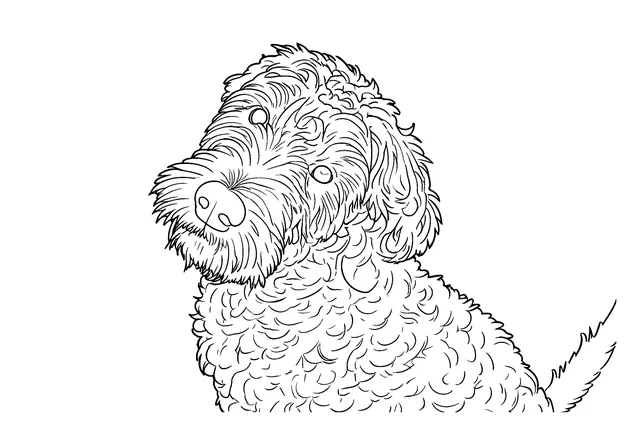
Simple turns fur into smooth, large shapes for little kids. Standard, the default here, keeps the face clear. Detailed keeps more of the fur texture and markings for older kids and adults.
- 3
Generate, then print
Download a PNG or a PDF sized for Letter or A4. If the face isn't quite right, try a closer photo or regenerate (that uses another free page).
Want a different look? Pick a style before you generate:
- Classic: the closest to your photo. Choose this when likeness matters most.
- Kawaii: soft, rounded lines, eyes with white highlights and little decorations like hearts and stars. It keeps age cues like wrinkles and hairline, with a lighter style than a full cartoon.
Photo tips for pets
- Get down to your pet's eye level. A face-on or three-quarter view keeps the eyes, nose and ears easy to read.
- Contrast matters more than megapixels. A black dog on a dark sofa or a white cat on white bedding gives the drawing very few edges to follow, so shoot against a background that's lighter or darker than your pet.
- Black or very long fur: take the photo in daylight near a window, and use Standard or Detailed so the face doesn't flatten into one big shape.
- Pets move. Use burst mode and pick the frame where the eyes are sharp.
- Collars, leashes, toys and whatever is lying on the floor will be drawn too. Tidy up or crop them out if you don't want them on the page.
- Two pets in one shot? Keep them together for a group page, or crop each one separately so their faces come out larger.
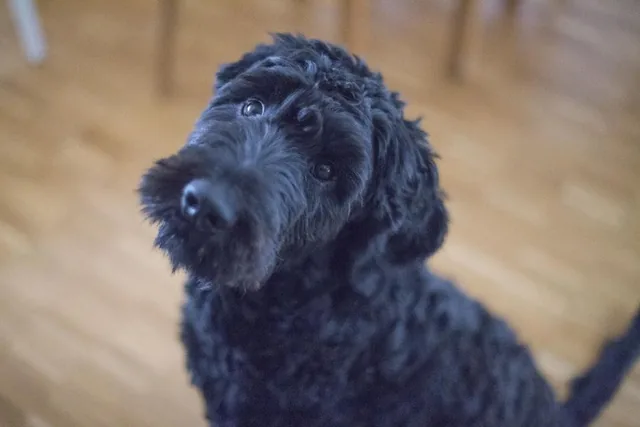
Photo
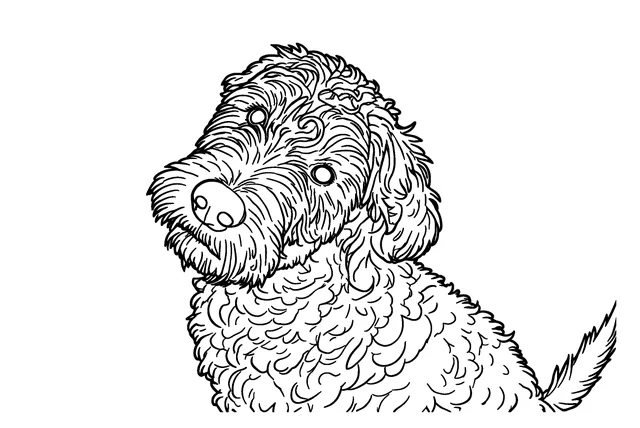
Standard
Detailed
Any breed works: a beagle example
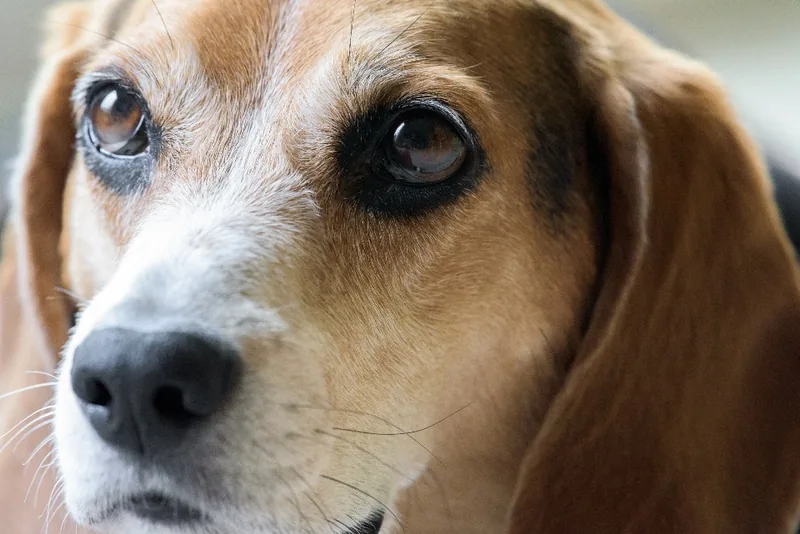
The tool doesn't need to know your pet's breed. It draws what's in your photo: the shape of the head and ears, the eyes and nose. That's why a beagle, a mixed-breed rescue and a long-haired cat all work the same way.
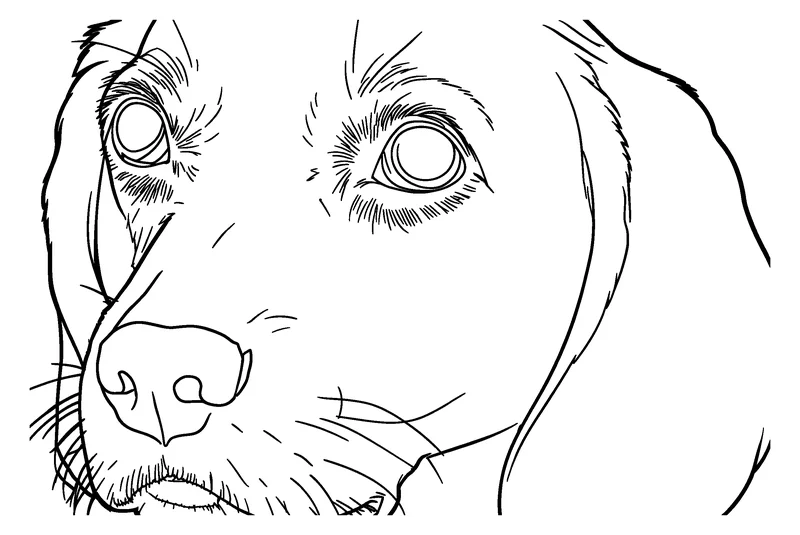
Take a beagle. Its long, soft ears hang against the face, and its coat has patches of black, tan and white. Where colors blend gradually, or a dark ear sits against a dark background, that edge may be simplified or left out.
- Simple keeps the outline of the head and ears and merges most of the coat into a few large shapes. Good for little kids.
- Standard keeps the face clear.
- Detailed keeps more fur texture, for older kids and adults.
- Bold & detailed draws thick, even lines and uses a slightly thinner pen where lines sit close together, which helps around eyes and muzzles.
For any breed: photograph your pet in daylight at eye level, against a background that's lighter or darker than its coat, and make sure the ears are fully in the frame.
Photo
Standard
Ideas for pet coloring pages
- A page of the family dog for your kids to color, so the pet they know is on the fridge instead of a generic puppy.
- A gentle keepsake of a pet who has passed away, colored by the whole family.
- A 'gotcha day' or pet birthday page.
- A small book of the same pet over the years: add each page to the coloring book builder (up to 12 pages, with a cover title).
- Prefer a sketch look? The Image to Line Art tool keeps more fur detail and lets you choose thin, medium or bold lines.
What you get
- No sign-up: upload, generate and download without an account.
- Up to 15 free AI coloring pages a day (the count resets at midnight UTC).
- No watermark on any page.
- A print-ready PNG in pure black-and-white at 300 DPI, or a PDF sized for US Letter or A4.
- Private by default: there's no public gallery, your photo is deleted from our storage once the page is made (24 hours at most), and pages are deleted after 7 days or right away with Delete now.
Frequently asked questions
Does it work with black or long-haired pets?
Usually, but dark or long fur shows less detail in a photo, so there are fewer edges to draw. Use a well-lit photo against a contrasting background and choose Standard or Detailed to keep more of the face.
Will the coloring page look like my pet?
The page keeps the pose and framing of your photo and aims to keep your pet's features and markings recognizable. It's still a drawing, so small details may be simplified. A closer, sharper photo usually gives a more faithful result.
Does it work for my dog's breed?
Yes. The tool doesn't identify breeds; it draws the shapes and markings in your photo, so any breed or mix works. Floppy ears, patches and long coats come out best in a sharp, well-lit photo against a contrasting background.
Can I make one page from a photo of several pets?
Yes. Group photos work, but each face is smaller. If you want every pet's face to be clear, crop each pet into its own photo and make separate pages.
Can I get a line drawing of my pet instead?
Yes. Use the Image to Line Art tool for a more detailed drawing with thin, medium or bold lines. A coloring page uses fewer, closed shapes that are easier to fill in.
Is it free, and do I need an account?
It's free for up to 15 AI coloring pages a day, with no watermark and no account. The number left for today is shown under the Generate button.
What happens to my pet's photo?
It stays in your browser until you click Generate. It's then sent to our AI provider, fal.ai, to make the drawing, and deleted from our storage right after the page is ready (24 hours at most). Pages are deleted after 7 days, or right away with Delete now.