How to make coloring pages from photos for your classroom
Upload a photo from a class trip, a school event or your classroom, pick a detail level for your students' age, and print it on US Letter or A4. It's free for up to 15 pages a day, with no account and no watermark. If a photo shows students, follow your school's photo policy and get permission from their parents or guardians first.
- Free daily pages
- No watermark
- No account needed
- Print-ready PDF
Pick a style in coloring-page mode: Classic, Anime, Kawaii or Mandala. Every style gives you pure black-and-white lines at 300 DPI and counts as one of your daily pages.
Free, no watermark · Choose a photo to start
See what your photo becomes

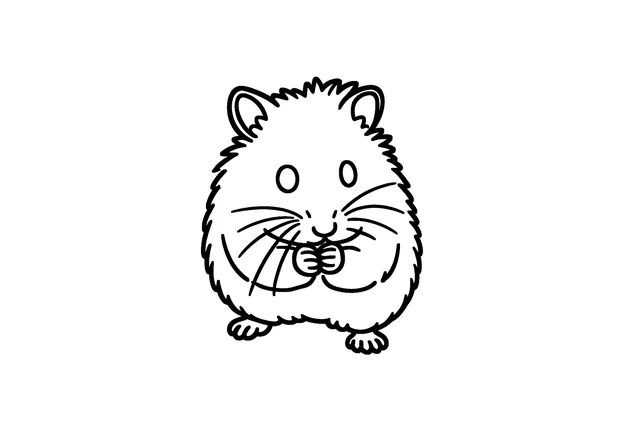
Upload a photo to get a clean, printable black-and-white coloring page. Download it as PNG or a ready-to-print PDF.
- Free daily pages — no watermark, no account
- PNG or print-ready PDF (A4 / US Letter)
- Photo deleted from our servers within 24 hours
Coloring pages and line art are made by our AI provider, fal.ai, which processes your photo under its own terms; we send it with fal's request storage turned off. Outlines are traced on our servers without AI. We delete your photo from our storage once the page is made (24 hours at most), and results after 7 days or right away with Delete now. Privacy
How it works
- 1
Choose a photo
The class pet, the school garden, the museum you visited or a project the class built. Photos without students' faces are the easiest to use.
- 2
Pick the detail for your grade
Simple has big shapes for the youngest students; Standard suits most elementary classes; Detailed is for older students.
- 3
Print a class set
Download the PDF and print as many copies as you need. Printing copies doesn't use extra free pages.
Want a different look? Pick a style before you generate:
- Classic: the closest to your photo. Choose this when likeness matters most.
- Kawaii: soft, rounded lines, eyes with white highlights and little decorations like hearts and stars. It keeps age cues like wrinkles and hairline, with a lighter style than a full cartoon.
Student photos: permission and privacy
- Follow your school or district's photo and media policy first.
- Our Acceptable Use Policy requires that, for photos of children, you are their parent or guardian or have that person's permission. For a class photo, that means permission from each child's parent or guardian.
- Photos with no identifiable students are simpler: hands on a science project, the class plant, the school bus, the view from the field trip.
- The site is for adults (18+). You, not your students, should upload.
- Where the photo goes: it stays in your browser until you click Generate. It's then sent to our AI provider, fal.ai, which processes it under its own terms, and it's deleted from our storage right after the page is ready (24 hours at most). Pages are deleted after 7 days. There's no public gallery. Share these details with whoever approves tools at your school.
Classroom ideas
- Field trip recap: color the place you visited, then write one sentence about it underneath. See field trip photo tips below.
- Class pet or plant journal: a new page every few weeks shows how it has grown.
- Project record: turn a photo of the volcano, bridge or diorama the class built into a page to color and label.
- Our neighborhood: photos you take of the school, the library and the local park become a community-helpers or map unit.
- Class book: collect up to 12 pages into one PDF with a cover title like "Room 12's Year" in the photo coloring book builder.
- Art lesson: compare a coloring page with the Image to Outline tool, which traces edges without AI, and talk about shape and contrast.

Photo

Simple
Photo
Simple
Field trip coloring pages: photograph the place, not the students
A field trip gives you a camera roll full of pages your class will recognize. The easiest and safest pages come from photos of the places, exhibits and objects you saw, with no students in the frame.
What to photograph
- Museum: a skeleton, a fossil, a machine, a model ship or a historical object, shot straight on and filling the frame.
- Farm: the barn, a tractor, the animals. Crop out fences and feed buckets so the animal stands out.
- Zoo or aquarium: one animal per photo, taken when it's close to the glass or fence and facing you.
- Nature walk: a single leaf, a pinecone, a tree trunk, a bird on a branch or a flower up close.
- The trip itself: the bus, the entrance to the building, the picnic spot.
Tips on the day
- Take the photo before the group walks into the frame, or aim at the object from above so no faces appear.
- Follow the venue's photography rules; some exhibits don't allow photos.
- Leave signs, logos and other people's artwork out of the frame. Pages of the animals, objects and buildings themselves work best.
- Take two or three angles of each thing, so you can choose the clearest one later.
After the trip
- One page per stop: color it, then write a sentence about what you learned there.
- Put the pages in order to retell the day, and collect up to 12 of them into one class book PDF with a cover in the photo coloring book builder.
- Use Simple for the youngest students and Standard or Detailed for older grades.
Where the photos go: each photo stays in your browser until you click Generate. It's then sent to our AI provider, fal.ai, which processes it under its own terms, and deleted from our storage right after the page is ready (24 hours at most). Pages are deleted after 7 days, and there's no public gallery.
Limits to plan around
- Up to 15 free AI coloring pages a day, reset at midnight UTC. Outlines have a separate daily allowance of 100.
- No batch upload and no class accounts yet: each photo is generated one at a time.
- Files are deleted after 7 days, so save the PDFs to your own drive.
What you get
- No sign-up and no watermark.
- PDFs sized for US Letter or A4, or a print-ready PNG in pure black-and-white at 300 DPI.
- A coloring book option for class books: up to 12 pages with a cover.
Frequently asked questions
Can I use photos of my students?
Only with permission. Follow your school's photo policy, and for each child in the photo, have permission from their parent or guardian. Photos without identifiable students avoid the question.
How do I make field trip coloring pages without photos of students?
Photograph the places, exhibits, animals and objects you visit instead of the group. One clear subject per photo, taken close and straight on, makes the best page. Then add the pages to a class book with a cover.
Can I photograph exhibits at a museum or zoo?
Follow each venue's photography rules, since some exhibits don't allow photos. Keep signs, logos and other people's artwork out of the frame; the animals, objects and buildings themselves make the best pages.
Is it free for teachers?
It's free for everyone: up to 15 AI coloring pages a day, with no account and no watermark.
Can I make one page for the whole class?
Yes. Make the page once, download the PDF and print as many copies as you need. Printing doesn't use more free pages.
Can I upload a whole class's photos at once?
Not yet. There's no batch upload, so photos are generated one at a time, up to 15 a day.
Can my students use the site themselves?
No. The site is for adults 18 and older, so a teacher or another adult should upload the photos.
What happens to the photos I upload?
Each photo is sent to our AI provider, fal.ai, to make the drawing and is deleted from our storage right after the page is ready (24 hours at most). Pages are deleted after 7 days, or right away with Delete now.