Can you make an Amazon KDP coloring book from your own photos?
This tool turns your photos into black-and-white coloring pages and can collect up to 12 of them into a PDF in US Letter and A4, which is useful for drafting and testing an interior. It is not a KDP publishing tool: we haven't checked its PDFs against KDP's requirements. Our terms currently cover personal, family, classroom and gift use. Terms for selling haven't been published yet, so read the Terms before you list anything.
- Free daily pages
- No watermark
- No account needed
- Print-ready PDF
Build your coloring book
Add up to 12 photos. Each becomes a page; then preview and download one PDF in A4 and US Letter.
0 / 12 pages
No pages yet. Add photos here, or use “Add to coloring book” after generating a page with any of our tools.
Coloring pages and line art are made by our AI provider, fal.ai, which processes your photo under its own terms; we send it with fal's request storage turned off. Outlines are traced on our servers without AI. We delete your photo from our storage once the page is made (24 hours at most), and results after 7 days or right away with Delete now. Privacy
How it works
- 1
Pick a consistent set of photos
Photos you took yourself, with similar lighting and framing, give a book that looks like one set.
- 2
Generate every page at the same detail level
Mixing Simple and Detailed in one book looks uneven. Choose one level for the book's audience.
- 3
Assemble a draft and review it on paper
Collect the pages into a coloring book, download the PDF and print it to judge line quality, spacing and order.
Read this before you publish
Our terms currently cover personal, family, classroom and gift use. Terms for selling haven't been published yet, so read the Terms before you list anything.
- That includes publishing on Amazon KDP: don't assume it's allowed. Check the Terms before you publish anything made here.
- There is no license or publisher plan to buy today.
- KDP asks publishers to tell it about AI-generated content, including interior images, when they publish or republish a book. Read KDP's current content guidelines.
- You're responsible for the rights to every photo: use photos you took, and get permission from anyone recognizable in them.
What the tool gives you, and what you set up yourself
What you get today:
- Single pages as a print-ready 300 DPI PNG or a PDF for US Letter or A4.
- A coloring book PDF of up to 12 pages plus a simple cover page with a title, in both Letter and A4. Book pages are portrait with half-inch margins.
What you handle yourself: trim size, bleed, margins, page count, blank backs, title and copyright pages, and the cover file KDP asks for. Check KDP's help pages for the current requirements; we don't set these for you.
Photo tips for a consistent book
- Crop every photo to portrait before uploading. Pages keep the photo's aspect ratio, and landscape photos print smaller on a portrait page.
- Keep the subject size similar from page to page: all close-ups, or all full-body shots.
- Busy backgrounds add lots of small shapes. For a relaxing adult book that may be fine; for a young children's book, pick plain backgrounds and Simple detail.
- Avoid logos, branded products and characters in your photos.
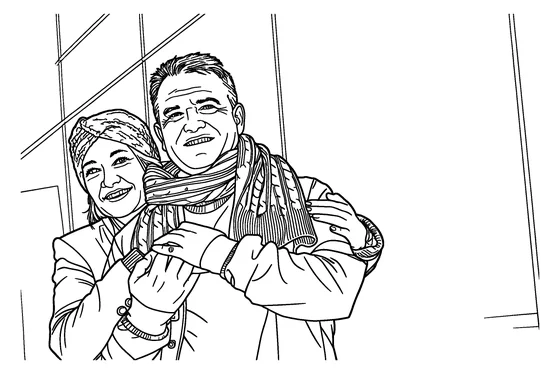
Page 1
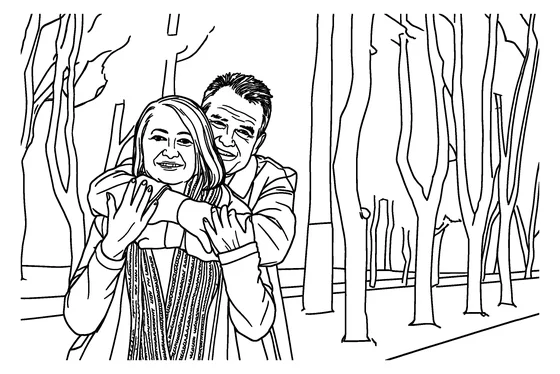
Page 2
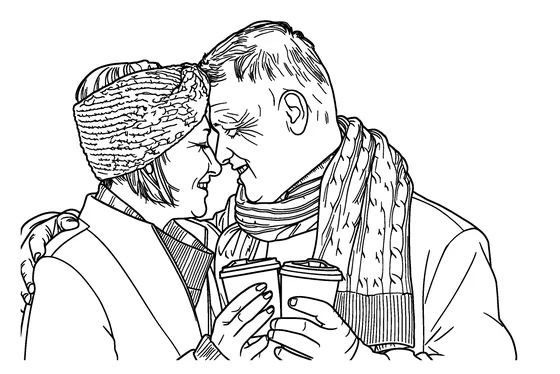
Page 3
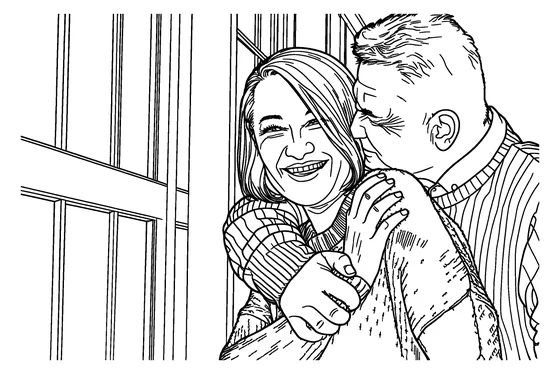
Page 4
Quality checks before any print proof
- Every area closed, with no lines that stop halfway.
- No important detail inside the margins or near the page edge.
- Faces recognizable and hands and eyes drawn correctly. Regenerate pages that aren't.
- Print several pages single-sided and color one with markers to check bleed-through.
- Order a physical proof through KDP's own process before you publish.
Frequently asked questions
Can I upload the PDF to KDP as it is?
We don't claim that. The book PDF is US Letter and A4 with half-inch margins, and we haven't checked it against KDP's trim, bleed or page-count requirements. Check KDP's help pages and set those up yourself.
Can I publish a book made with these pages on KDP?
Our terms currently cover personal, family, classroom and gift use. Terms for selling haven't been published yet, so read the Terms before you list anything.
How many pages can I make?
Up to 15 AI coloring pages a day, and up to 12 pages in one coloring book. Each book page uses one of your daily free pages.
What resolution are the pages?
Each page is a black-and-white, print-ready 300 DPI PNG that keeps the shape of your photo, and you can also download each page as a Letter or A4 PDF.
Do I have to tell KDP the pages were made with AI?
KDP's content guidelines ask publishers to tell it about AI-generated content, including interior images. Read KDP's current guidelines before you publish.
Read the Terms of Service before you publish anything.
More tools
Amazon and Kindle Direct Publishing are trademarks of Amazon.com, Inc. or its affiliates. This site is not affiliated with or endorsed by Amazon.